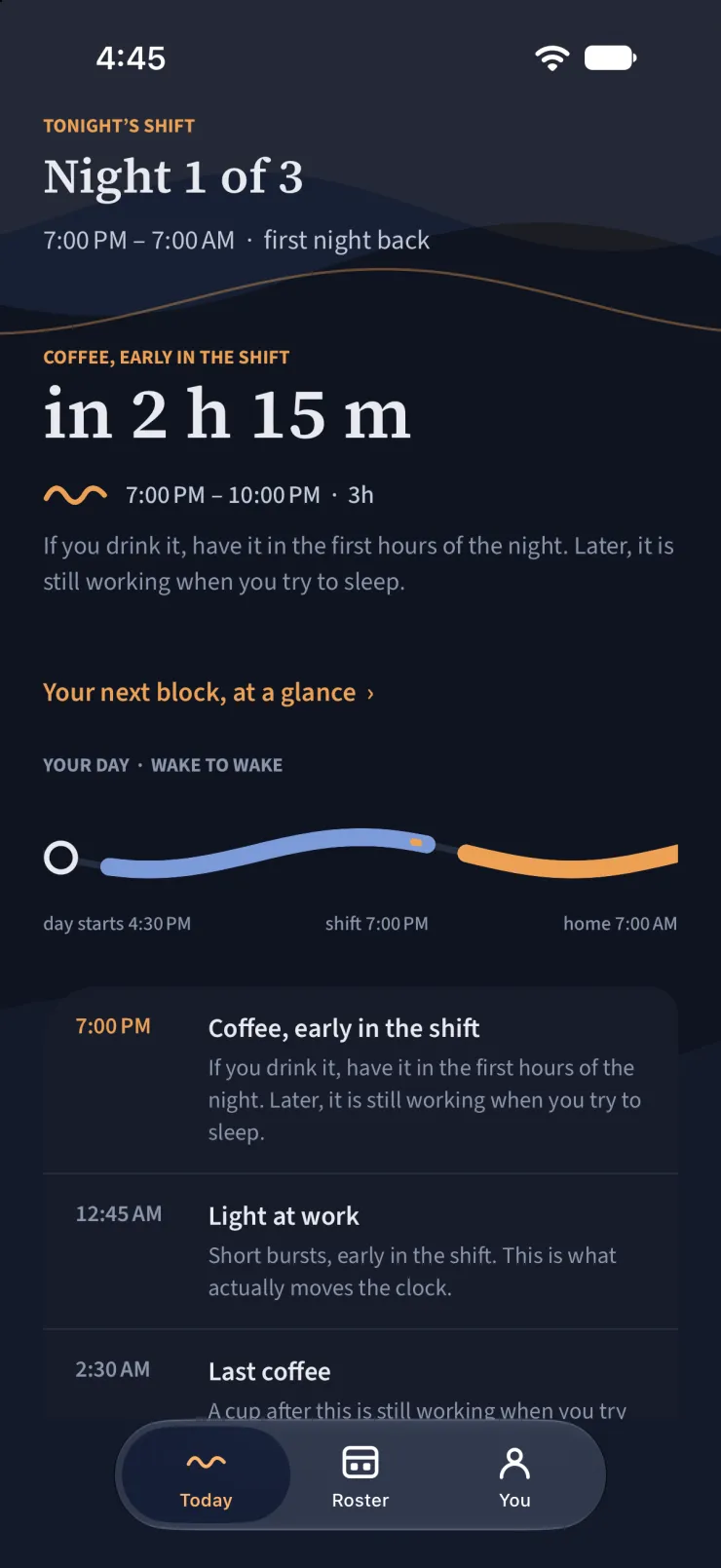
Computed from your real rosterWake to wake, never midnightEvery instruction says why
Why 3am is different
Your clock doesn't care what shift you're on
YOUR SHIFT · 7PM — 7AM
6 PM3 AMNOON
3:00 AMYour lowest point — and you're at work.
7:15 AMStill climbing out of the trough — and this is when you drive home.
A straight run of nights can be shifted, and there's published science for how. A mixed week can't — trying moves your worst hour to 7am, exactly when you're on the road.
What it does
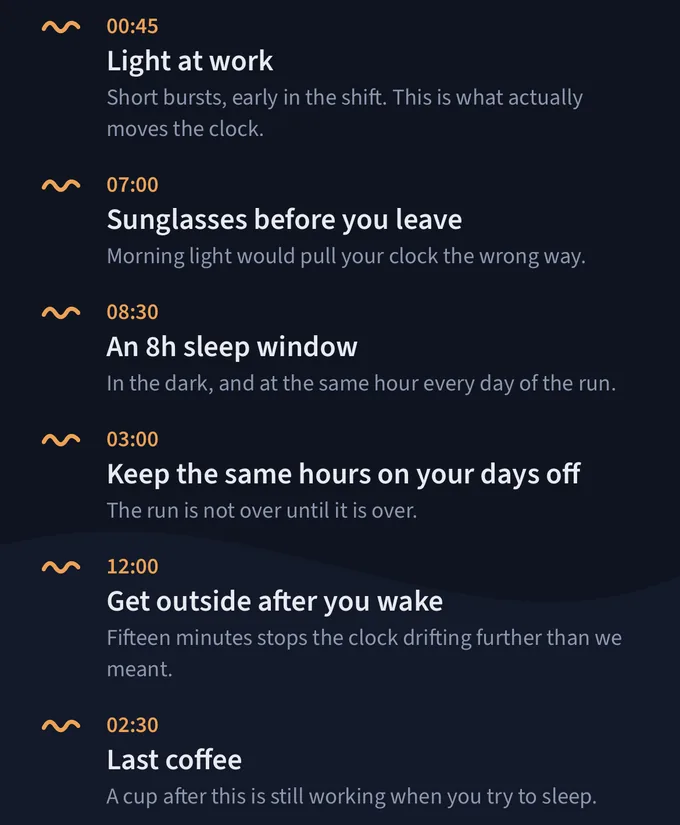
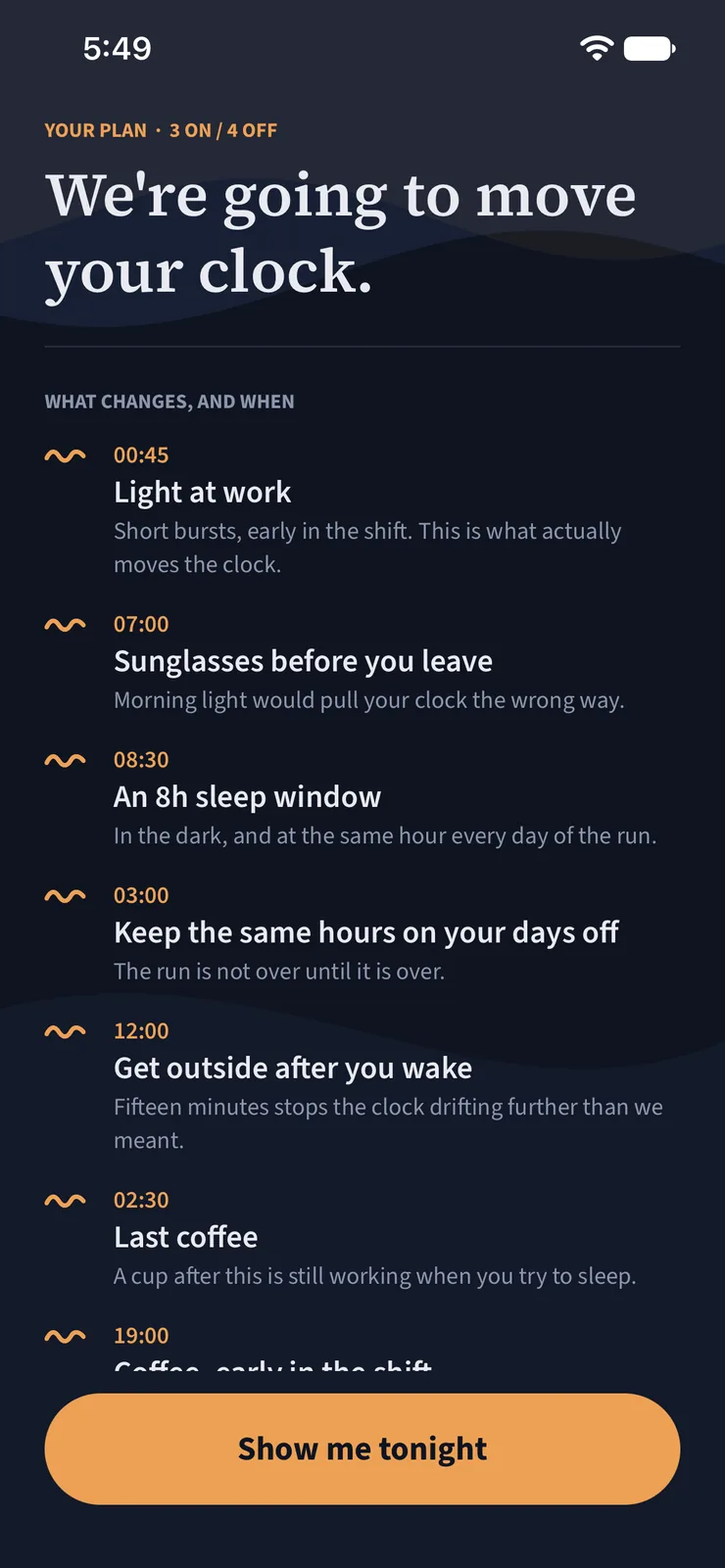
Each one has a time, and a reason under it
One run's plan, exactly as the app writes it. A different roster gets different
items — an anchor nap before the first night, for instance — and the times come from your
shifts rather than from a template.
After this shift
When to sleep
Placed against your clock rather than the one on the wall — in the dark, and at the same hour every day of the run, because a window that moves nightly is one your body never learns.
Before a night
When to nap
So you arrive at handover rested instead of already sixteen hours awake.
On the commute
When to put sunglasses on
Sunrise on the drive home is the biggest unwanted clock signal in a night worker's week. Blocking it is free, and it works.
On days off
Hold the line, or flip back
On a straight run it keeps your hours where they are, because the run is not over until it is over. Where the roster allows it, it plans the way back to a day schedule for your family instead of leaving you to endure one.
Right now
Whether you should be driving
With the hours-awake number attached. Not a vibe.
Inside the app
Built for a roster, not a calendar
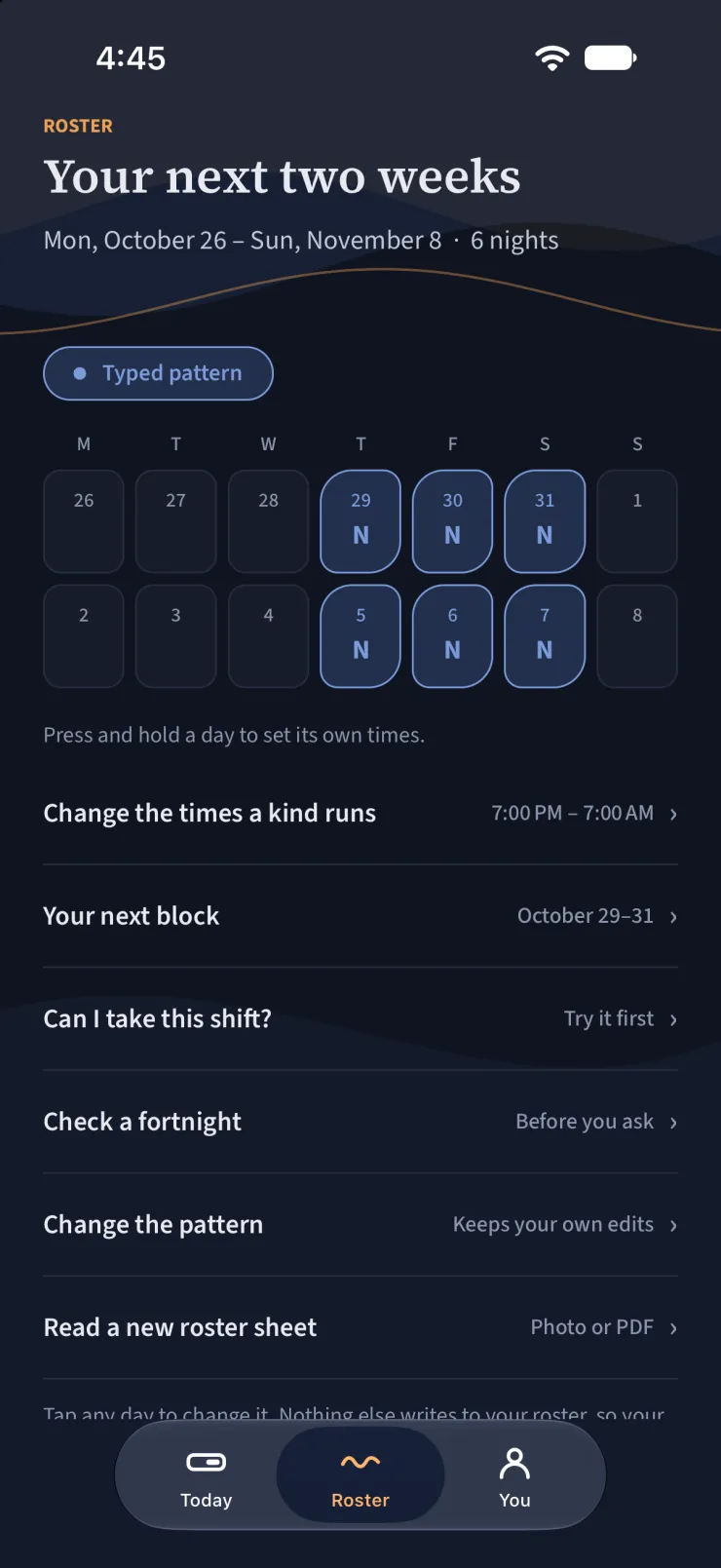
Your roster, in one screen
Type a pattern, tap the days, pick the calendar it is already in, connect the feed your
employer publishes, or photograph the unit sheet. Press and hold a day to give it its own
hours.
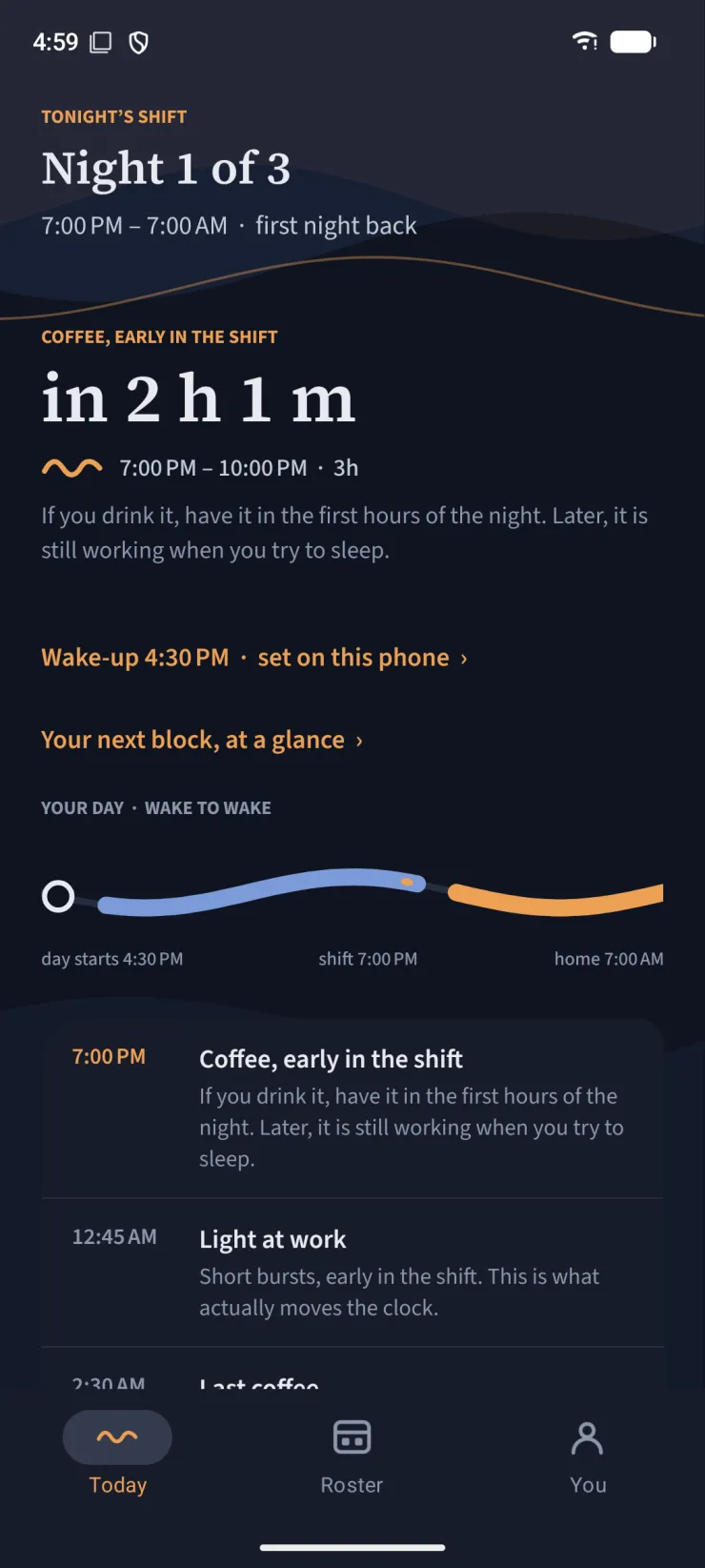
What it will do, and why
Every item carries the reason underneath it. An instruction you do not understand is one
you will not follow twice.
The drive home
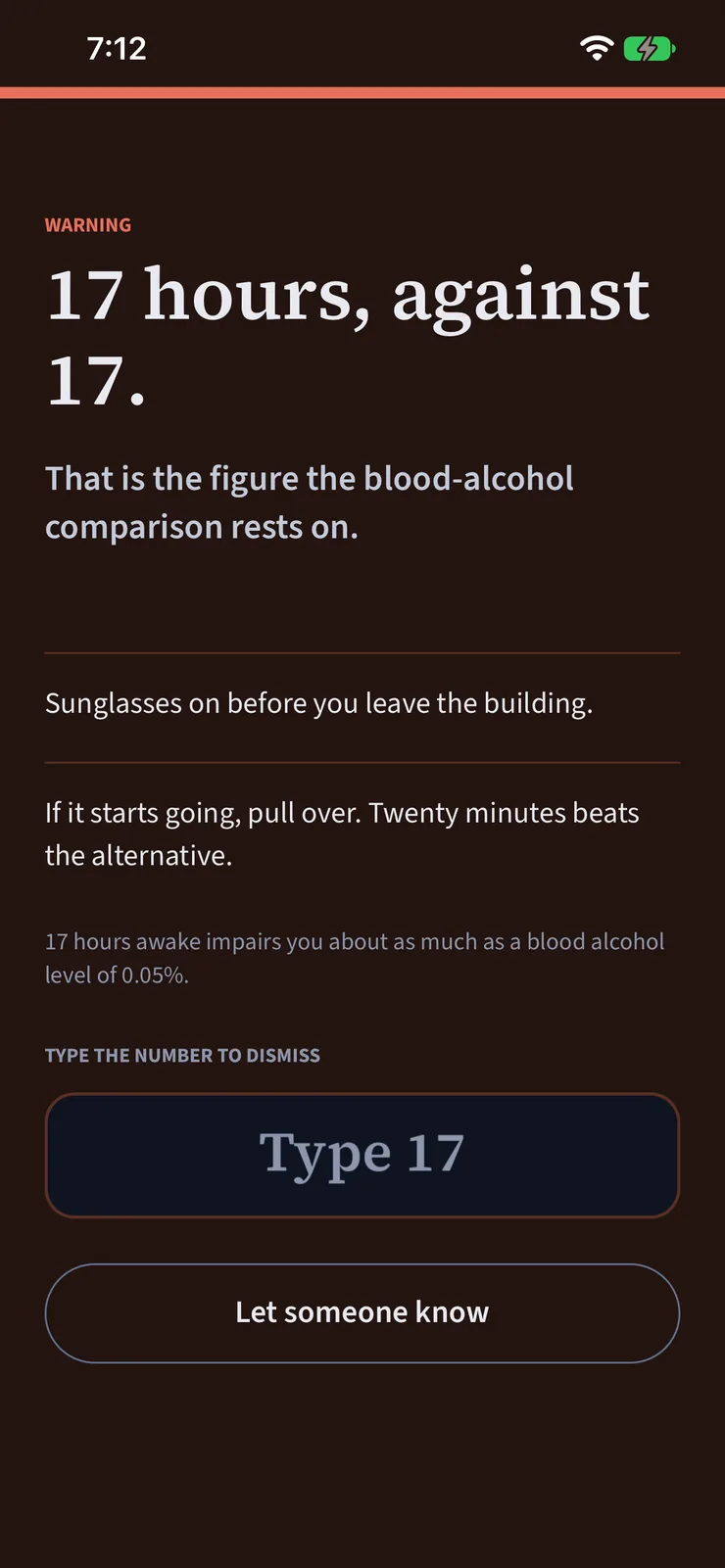
The moment the job actually hurts people. Named, with the number attached.
Around the plan
The rest of it, mostly on your phone
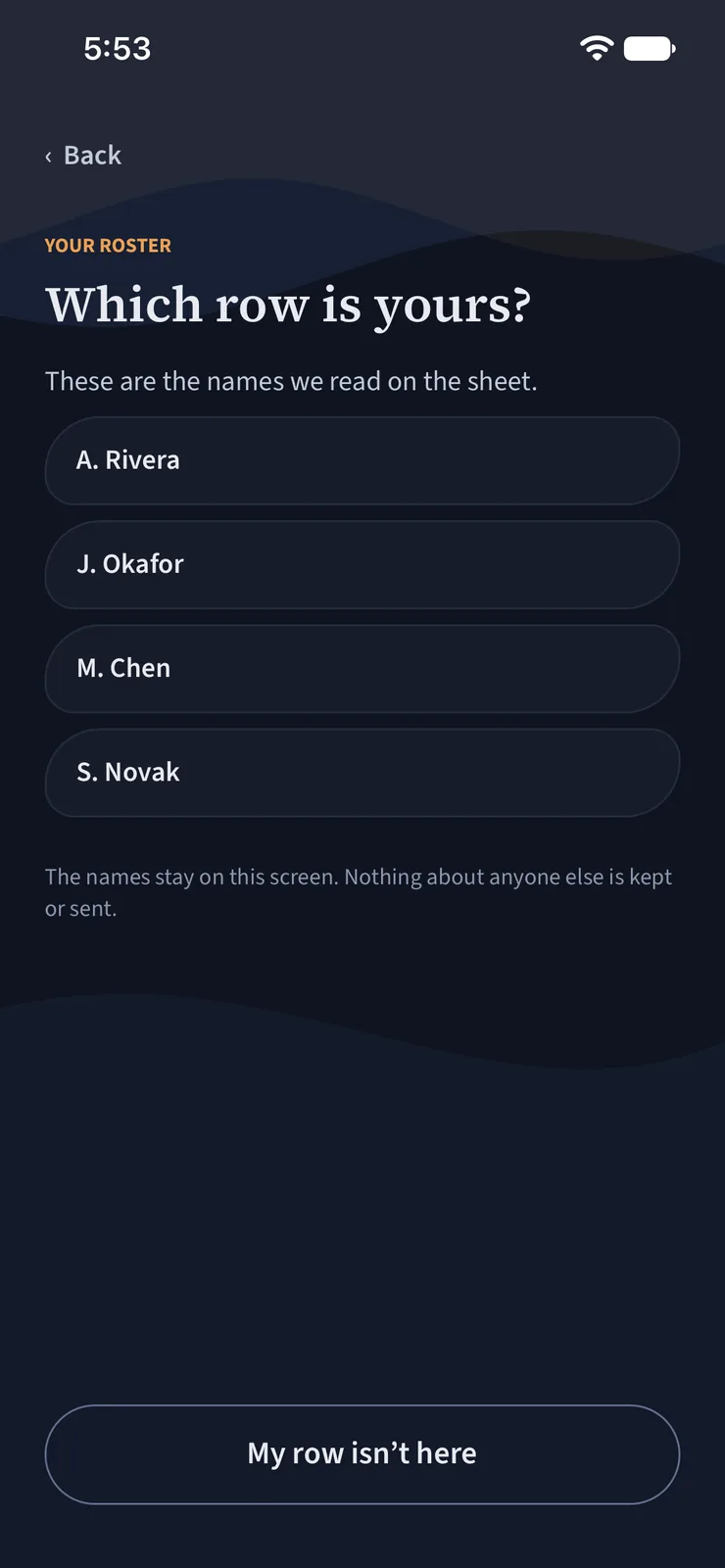
Photograph the unit sheet
Point the camera at the printed roster and pick your row. It is read on your phone, and only
your own shifts leave it — never the photo, never anyone else's name.
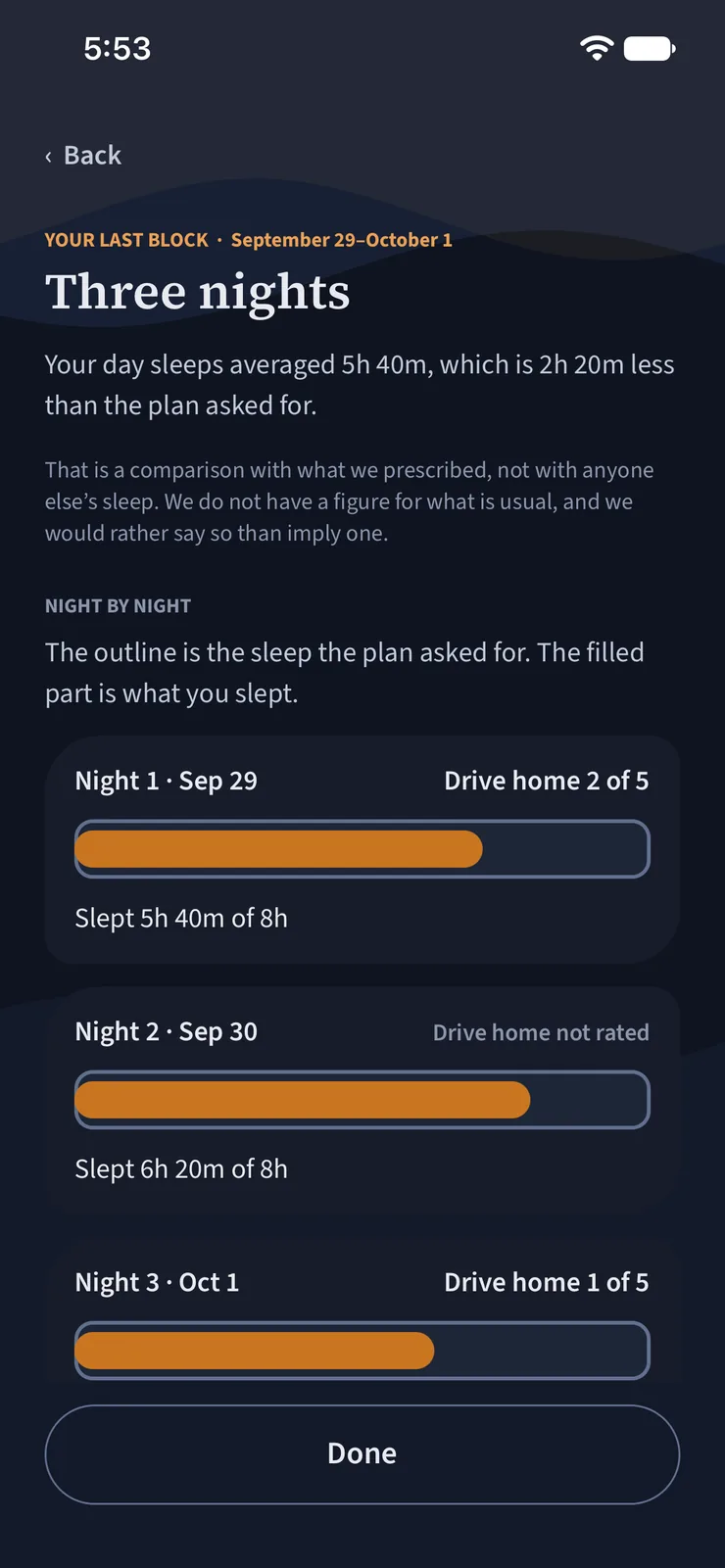
Your last block, in your own numbers
When a run of shifts ends: how you slept against what the plan asked, the naps you took, how
it compares with the block before, and one cheap thing to change. Observations, never a score.
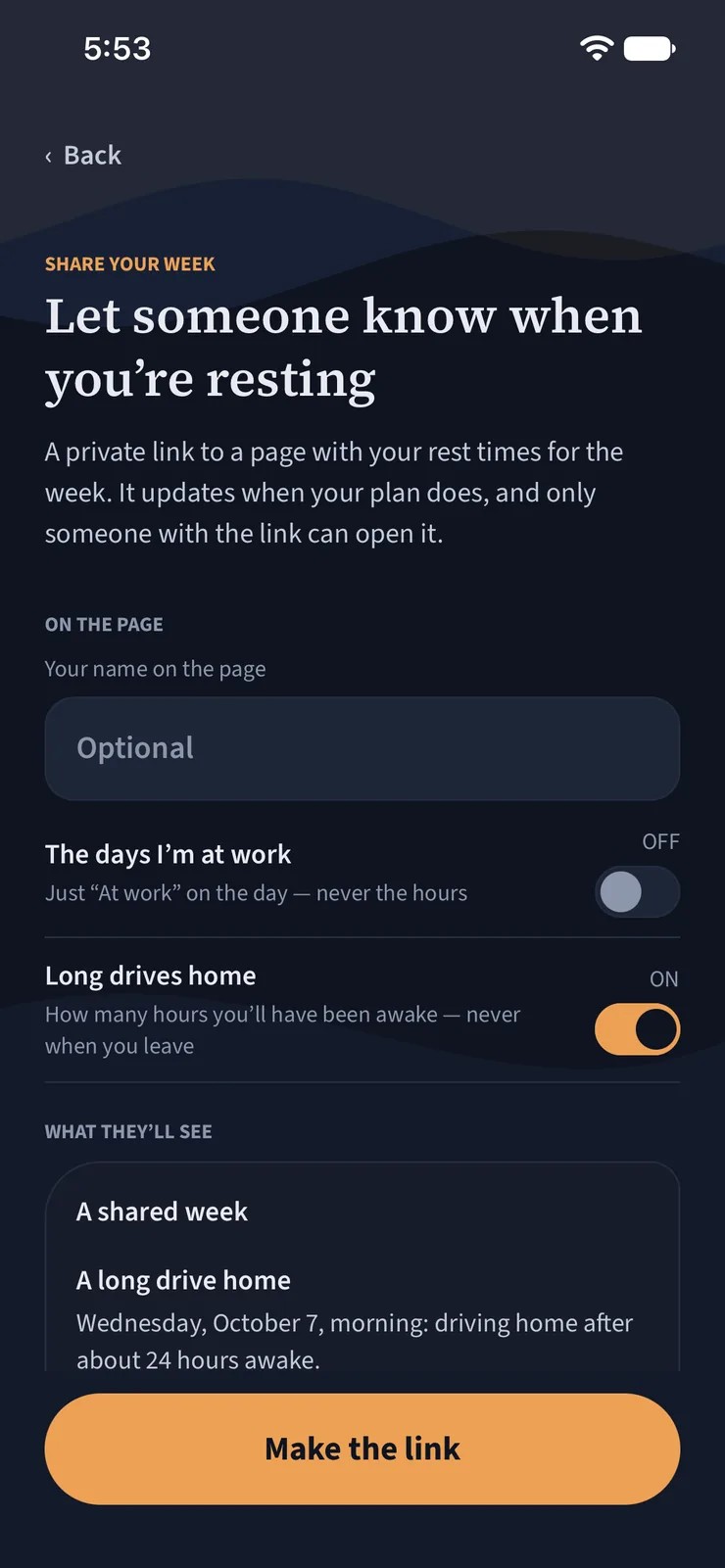
Let someone know when you're resting
A private link to your rest times for the week, for a partner or a housemate. Never your shift
hours. Off whenever you turn it off, and gone after 90 days.
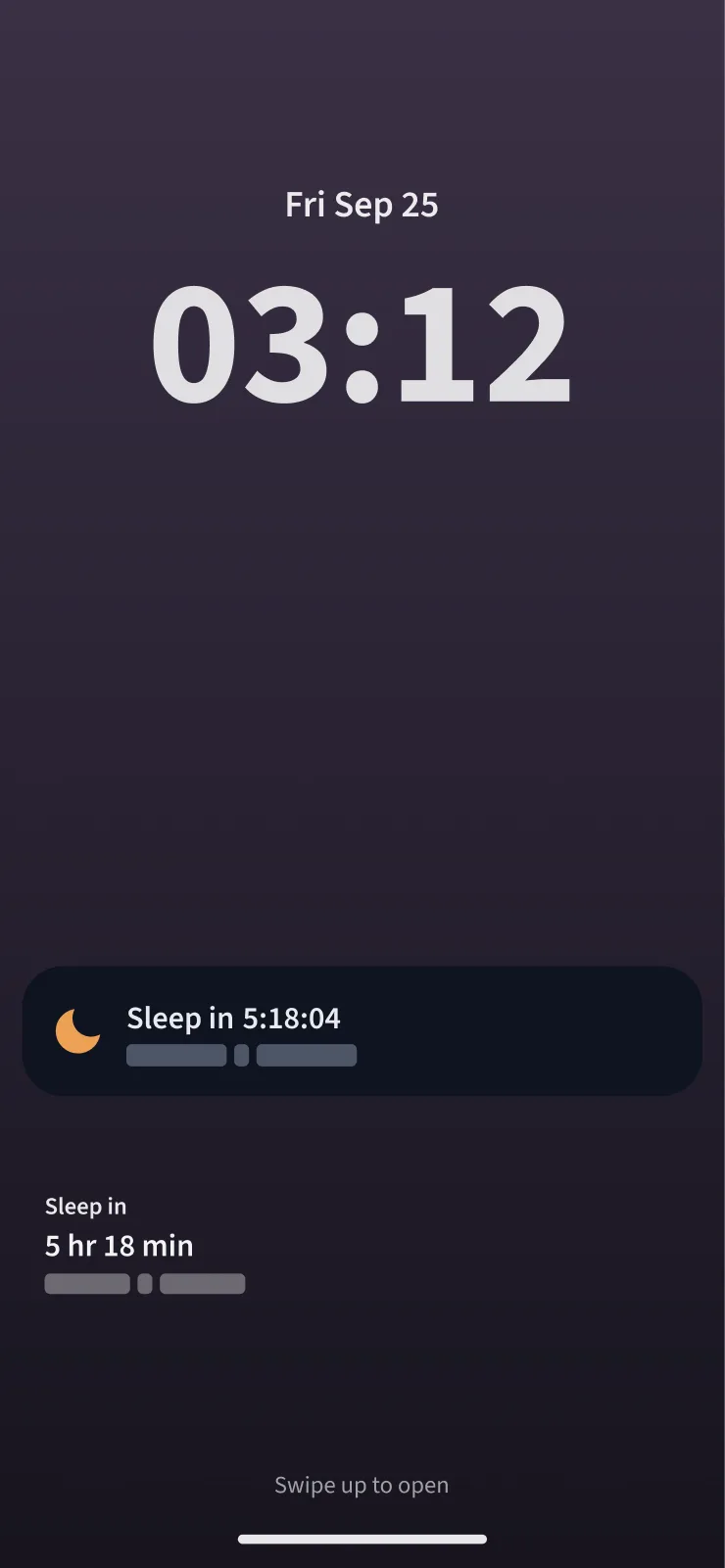
Your next rest, on the lock screen
A countdown to your next sleep on the lock screen and as a Live Activity on iPhone; on
Android, a silent countdown in your notifications during a shift, and a home-screen widget
on both. The clock times stay hidden while the phone is locked.
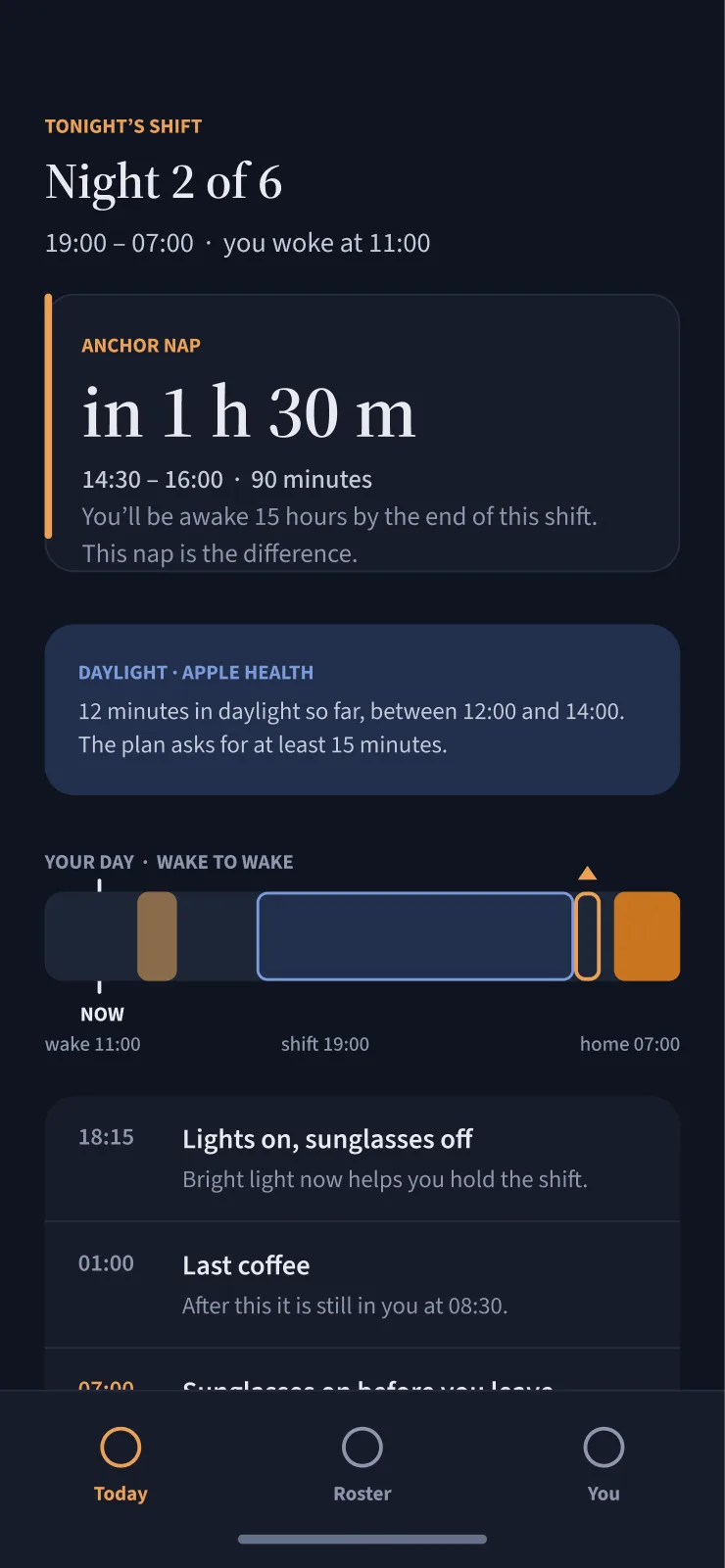
Daylight, from your Apple Watch
If you allow it, the app reads how long Apple Health recorded you in daylight and shows it
beside the plan's advice to get outside. It stays on your phone and never changes the plan.
The part that gets you out of bed
A plan you sleep through is not a plan
Every timing in this app is worthless if the phone stays quiet. So the wake-up is
not a notification — it is the operating system's own alarm, set locally on your phone.
iPhone · AlarmKit on iOS 26 and later
Android · the system alarm clock, exempt from battery saver
One app and one plan. The mechanism underneath is whichever one the phone will
not quietly drop.
Silent mode
A Time Sensitive notification breaks through Focus and not the ringer switch — and a
phone on silent overnight is what a sleeping person has. The alarm is the one thing that gets
past it.
Force-quit
It is held by the system, not by us, so it survives the app being swiped away, the phone
being restarted, and the battery saver that stops everything else.
Or it says so
On an older phone, or if you say no to the permission, the wake-up falls back to a
notification — one that gets past Focus but not silent mode. The app tells you that, on the
screen, rather than letting you find out by oversleeping.
The app also reports which alarms it believes fired and which it missed, because
on this one we would otherwise never know.
Post Nights and other apps
Built for the parts other apps leave to you
Six places a night-shift week usually goes wrong — and what happens here instead.
Post Nights compared with other shift-sleep apps
Other shift-sleep apps
Post Nights
The wake-up
A timer or a notification — silent mode can mute it
Your phone’s own alarm system. It rings through silent mode and Focus, you can test it in two minutes, and it tells you if one didn’t fire
Getting started
Type your shifts in before you see anything
Connect your schedule, photograph the roster sheet, or see a sample plan before you enter a thing
A mixed rotation
Say they handle any schedule
Tells you when your rotation can’t be shifted — and plans the best sleep inside it instead
An offered shift
Plan only the roster you already have
Shows what a shift would change before you say yes, and checks a fortnight before you request it
Short turnarounds
Go unmentioned
Under 11 hours between shifts, named on your roster
Your phone
Mostly iPhone only
iPhone and Android, with the same wake-up
Compared with shift-work sleep apps on the App Store and Google Play, October 2026.
Free and Premium
Today’s plan is free. Premium plans ahead — and wakes you.
Free shows what to do today and tonight. Premium sees the days ahead, keeps your roster up to date, and reaches you at the minute it matters.
FreeFree for as long as you use it
Today’s plan, and the reason for every step
Your roster in by hand — a pattern, the grid, your calendar, or a photo of the sheet
Today and tonight: when to sleep, when to nap, light, sunglasses, coffee, and coming off nights
Why each step is there
The drive home: how long you’ll have been awake — and short turnarounds, named
Your data: export it or delete it, any time
PremiumTry it free for 14 days
It plans ahead, and acts at the minute it matters
A wake-up on your phone’s own alarm system — through silent mode and Focus, and it tells you if one didn’t fire
The days ahead: your fortnight, your next block, and what changed — kept up to date from your schedule feed
Nudges at the minute, and a break nap that wakes you
Can I take this shift? Compare offers, and check a fortnight before you request it
Your lock screen, widgets, and Siri
Your last block, your sleep from Apple Health, and sharing your week
The drive-home warning is never behind a paywall, and neither is your data.
Everything in it
Every feature, and what it costs
FreePremium — try it free for 14 days
Your roster
9 features · 6 free, 3 Premium
Repeat a pattern, or build your own cycle — free
Tap days on a grid — free
Import from your calendar — free
Photograph your unit’s roster sheet — read on your phone, only your row — free
Edit any day — free
See a sample plan before you enter anything — free
Connect your schedule feed — it keeps your roster up to date — Premium
Tells you when your schedule feed has gone quiet — Premium
Reminds you before your roster runs out — Premium
Your plan
17 features · 14 free, 3 Premium
Today and tonight — every step below, with its reason — free
When to sleep after a night — and whether to split it — free
Anchor naps before nights — free
When to seek light, and when to avoid it — free
Sunglasses on the drive home — free
When to start coffee, and when to stop — free
Coming off nights: the recovery day — free
A snack, not a meal, on nights — if you turn it on — free
The reason for every step — free
When it can’t plan something, it says why — free
Your day-sleep room, checked — free
A heads-up before a long first night back — free
See and fix everything the plan is built on — free
During a planned sleep, one dim countdown instead of everything — free
The days ahead: your whole fortnight — Premium
What changed when your roster did — Premium
Your next block, before it starts — Premium
Safety
3 features · free
The drive home: how long you’ll have been awake — free
Under 11 hours between shifts, named — free
A message ready to send someone before you drive — free
Waking you
5 features · Premium
A wake-up on your phone’s own alarm system — through silent mode and Focus — Premium
Test it, in two minutes — Premium
It tells you when a wake-up didn’t fire — Premium
A break nap with a wake-up that rings — Premium
A second wake-up, if you want one — Premium
Through the day
5 features · Premium
Nudges at the minute: naps, light, coffee, sunglasses — Premium
Leave for work, and wind down — Premium
Quiet while you sleep — Premium
Answer a nudge from the notification: Done, or Not today — Premium
One tap in the morning if you slept as planned — Premium
Deciding on shifts
3 features · Premium
Can I take this shift? — before you say yes — Premium
Compare up to three offers — Premium
Check a fortnight before you request it — Premium
At a glance
4 features · Premium
Lock-screen countdown — a Live Activity on iPhone, a silent notification on Android — Premium
Home-screen widget (iPhone and Android) — Premium
Ask Siri when you sleep next (iPhone) — Premium
Your sleep and naps in your own calendar, kept up to date — Premium
Your results
7 features · 3 free, 4 Premium
Log the sleep you got — free
Rate how awake you were on the drive — free
Write it in your own words — it fills in the times — free
Your sleep times from Apple Health (iPhone) — Premium
Daylight from your Apple Watch (iPhone) — Premium
Your last block, beside the one before — Premium
Share your week with someone — Premium
Your data
8 features · free
Nothing leaves your phone until you agree — free
Use it without an account — free
Export everything, or delete your account — free
English, Spanish and French — free
iPhone and Android — free
Works with no signal — the plan lives on your phone — free
Keep it when you change phones — sign in with Apple, Google or email — free
Works at the largest text sizes — free
What we won't claim
The honest part
A window, not a minute
The model behind it is accurate to about an hour in laboratory studies that measured the light people saw. We estimate yours from your roster, which is less precise. Good enough to place a nap and a pair of sunglasses. Not good enough to state a precise body-clock time — and we never will.
Four hours
The spread in light sensitivity between one person and the next. It is why the estimate is a window rather than a time — and why day one says so, instead of implying a precision it has not earned.
Some rosters
Are hostile to human physiology, and no app changes that. It can only get you the best sleep available inside the one you were given.
Apps in this category claim they handle any schedule. This one tells you when it can't.
Post Nights is out
Free to download. Premium is free for 14 days, and cancelling takes two taps.